Changelog
XUI.live Changelog
XUI.live ships as a rolling series of builds on the 2.0 line, so improvements reach a self-hosted IPTV panel steadily rather than in rare, disruptive jumps. The exact build you are running is shown in the panel, and updating is a single command that carries your licence, settings and SSL certificates across untouched.
Current build
2.0.0 — build 2608134690 (August 2026).
What’s new in this build
- Modern 2026 reskin — the entire XUI.live panel has been restyled to a current 2026 look, with every feature and workflow kept exactly as before.
- Redrawn logo, applied everywhere — the mark is modernised while keeping its duotone X and “UI” geometry, and a fresh favicon and logo set is applied consistently across the panel, the login and licence pages, and the STB/Ministra portals.
- Remastered status videos — the clips a subscriber sees for a banned line, an expired or soon-to-expire account, the connected screen and the offline screen have been re-rendered at higher quality with a cleaner look.
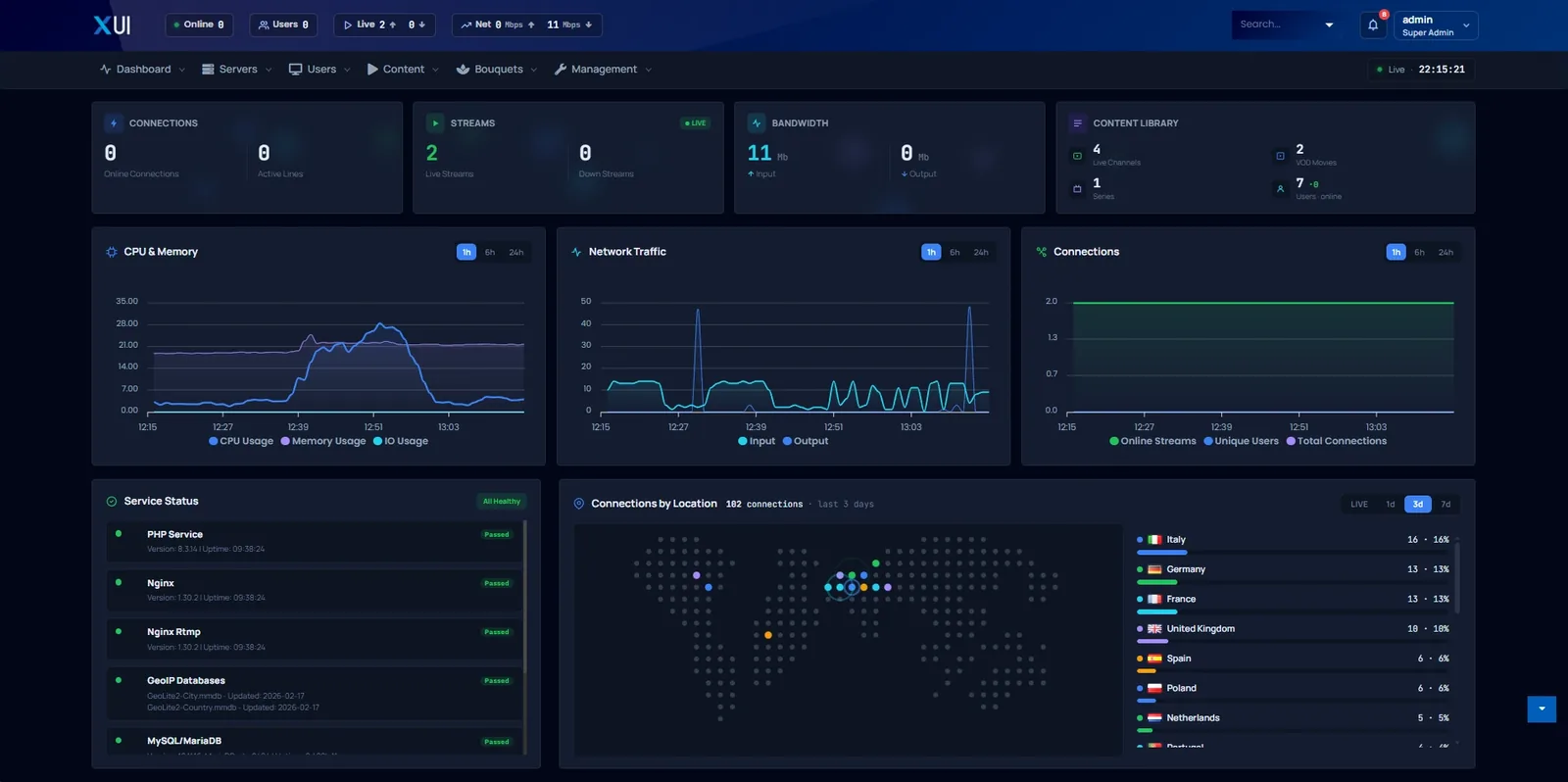
- Dashboard historical statistics — three time-series charts now sit alongside the live counters: CPU, memory and disk I/O; inbound and outbound network traffic; and connections broken out as live streams, unique users and total connections. Each has a 1-hour, 6-hour and 24-hour range, samples roughly once a minute, and can show all streaming servers together or one on its own. An administrator turns it on from settings.
- Connections by Location, rebuilt — the map shows who is connected right now, updating about once a second, with each country’s connection count and its share of the total; a LIVE / 1 day / 3 days / 7 days switch opens the recent history when closed-connection history is kept.
- SSL lifecycle in the panel — generating a Let’s Encrypt certificate now shows every step in a live progress window and requires a domain to be set first, while a new Remove SSL action reverts safely to the self-signed certificate. The web server reloads and recovers on its own, so it always comes back up.
- Reseller “expiring soon” filter — the resellers list gains a filter for accounts about to lapse, and anyone expiring in the next seven days is highlighted so renewals are easy to spot.
- Version aligned to 2.0.0 — the panel now reports version 2.0.0 across the board.
Everything in the 2.0 line
The 2.0 line is, above all, a security release wearing a new coat of paint. Here is the full set of changes, grouped by area.
Security and reliability
- nginx 1.30.2 security rebuild — the bundled web, streaming and RTMP servers were rebuilt on nginx 1.30.2 with OpenSSL 3.5.7, closing a critical vulnerability (CVE-2026-42945). It is a like-for-like rebuild, so behaviour is unchanged.
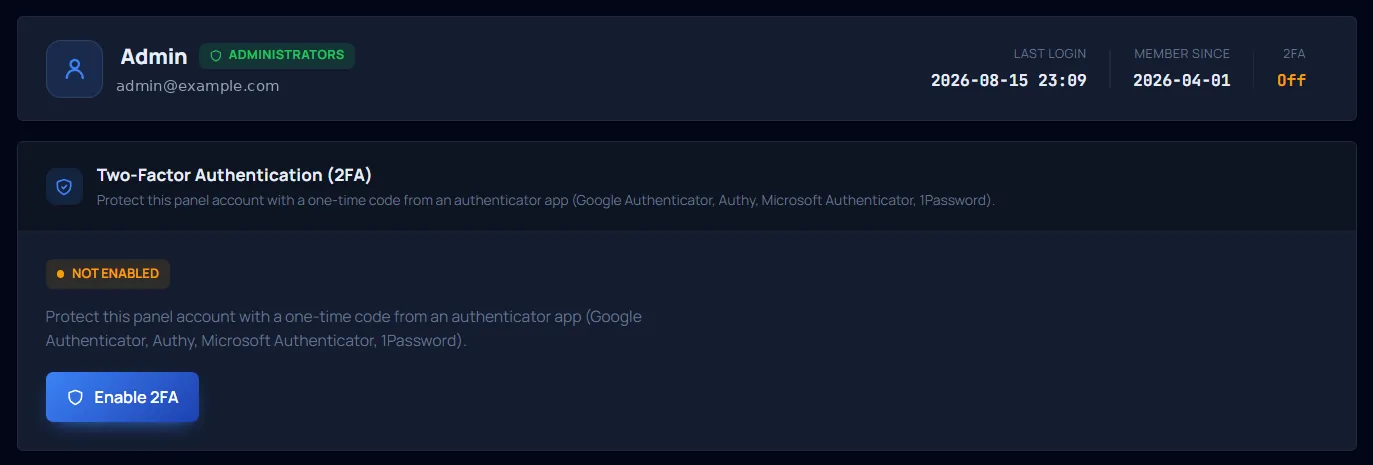
- Two-factor authentication (TOTP) — admin, reseller and sub-reseller accounts can enable app-based 2FA with QR-code setup, eight single-use recovery codes and a shield indicator in the users table, in all 14 languages. Subscriber lines are unaffected.
- Passwords on bcrypt — panel account passwords now use bcrypt and are upgraded automatically at next login, with no resets required. Subscriber and Xtream passwords are unchanged, so third-party apps keep working.
- Real-time restream detection — alerts flag suspected restreaming, so content theft surfaces while you can still act on it.
- Reliable on PHP 8.3.14 — the panel now runs cleanly on PHP 8.3.14, closing a range of edge-case errors that could interrupt day-to-day operation.
- Old-database import fix — importing a database from an older release no longer leaves stream segments undeleted, so disks stop filling quietly in the background.
Delivery and streaming
- SSL with live progress and safe removal — watch each step as a Let’s Encrypt certificate is issued, with a domain required before generation and a Remove SSL action that returns cleanly to the self-signed certificate; the web server reloads and recovers by itself.
- Rebuilt timeshift recorder — rebuilt on the bundled FFmpeg (8.0 and 7.1) for clean, gap-free recordings that play smoothly in strict players. The earlier short overlap and duplicated footage are gone, and filenames and retention are unchanged.
- MAG and Enigma2 black-screen fix — connecting a brand-new device no longer produces a black screen, and existing devices affected by the issue now recover on their own.
Content and VOD
- Live encoding progress — when a film or a series episode needs encoding, the list shows a live percentage of how far along it is rather than a plain “in progress”.
- Automatic episode numbering via TMDB — episodes are matched against TMDB so season and episode numbers fill in automatically, with a fuzzy title match as a fallback.
- Episode numbers beyond 99 — series can now be numbered well past episode 99; E100, E250 and E1024 all number correctly.
Subscribers and resellers
- “Expiring soon” reseller filter — filter the resellers list to accounts about to expire, with anyone due in the next seven days highlighted so renewals stand out at a glance.
Dashboard and monitoring
- Historical statistics — time-series charts for CPU, memory and disk I/O, for inbound and outbound network traffic, and for connections (live streams, unique users and total connections), with 1-hour, 6-hour and 24-hour ranges, shown for all servers or one.
- Live Connections by Location — a real-time world map of who is connected right now, counted by country with each country’s share, plus a LIVE / 1 / 3 / 7-day switch for recent history.
Backups and notifications
- Remote backups to Amazon S3 and SFTP — back up to Amazon S3, to any S3-compatible storage, or to SFTP, with a built-in connection test, scheduled uploads, configurable retention and a clear status marker on every backup.
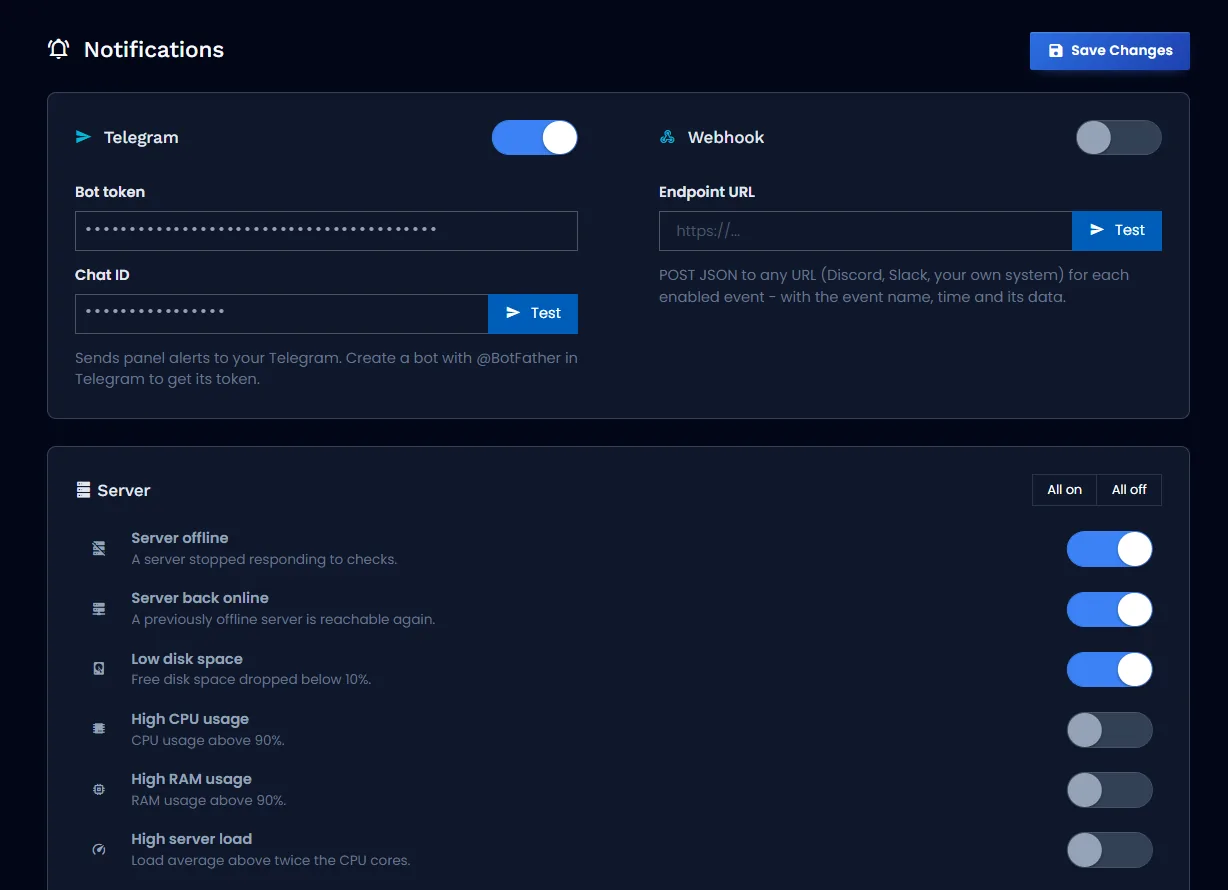
- Telegram and webhook alerts — real-time notifications to Telegram or to any webhook endpoint, whether Discord, Slack or your own service, with no email, domain or SSL required, so it works behind NAT.
- 33-event notification catalogue — choose exactly what you are alerted about across servers, backups, streams, subscribers, resellers, security, support and system, with per-event toggles and configurable thresholds. Each incident alerts once and clears itself.
- In-panel notification centre — a toolbar bell with an unread badge and the latest alerts, plus mark-all-read, clear-all and automatic refresh, in all 14 languages.
Developer API
- Complete API reference — full documentation for the Admin, Reseller and public Xtream-compatible APIs, with authentication, curl examples and status codes.
- Clearer create-call errors — the create endpoints return a clear status code instead of an empty response when required fields are missing; the web panel is unaffected.
Design and interface
- Modern 2026 interface refresh — the whole panel restyled to a 2026 look, with no change to how anything works.
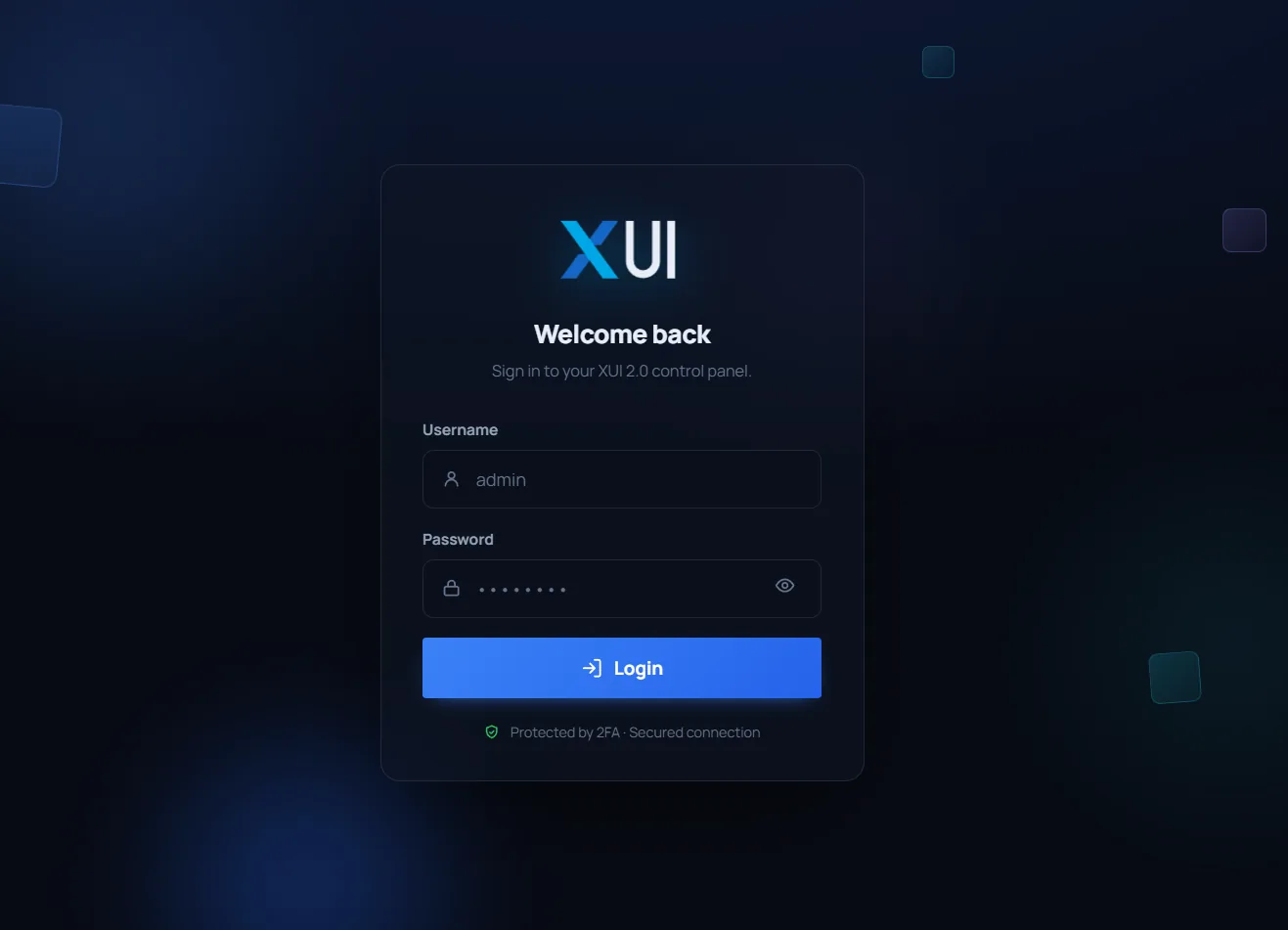
- Redesigned login page — a modern, animated layout that follows your account’s light or dark theme automatically; the sign-in form and the two-factor step behave exactly as before.
- Refreshed XUI.live logo and icons — a modernised logo that keeps the familiar duotone X and “UI” identity, with a new favicon set applied consistently across the panel, the login and licence pages, and the STB/Ministra portals.
- Blue topbar by default — new installations start on the Blue topbar theme for a consistent out-of-the-box look.
- Search dropdown fixed for dark mode — the toolbar search dropdown now follows the active theme and reads as a proper elevated panel in the dark.
- Toolbar clock in your timezone — the clock shows the time for the timezone set on your User Profile, falling back to the server default, instead of the browser’s.
- Cleaner reseller navigation — redundant breadcrumbs have been removed from the reseller panel.
The release train
| Build | Date |
|---|---|
| 2608134690 | August 2026 — current |
| 26060532D6 | June 2026 |
| 2603128C37 | March 2026 |
The build you are running is shown in your panel. Manage your licence and servers from app.xui.live, and follow the update step to move up to build 2608134690.